Rain Instant Pay
- 4.7
- Rating
- 500.00K
- Installs
- Free
- Price

 Analysis by App-foxy
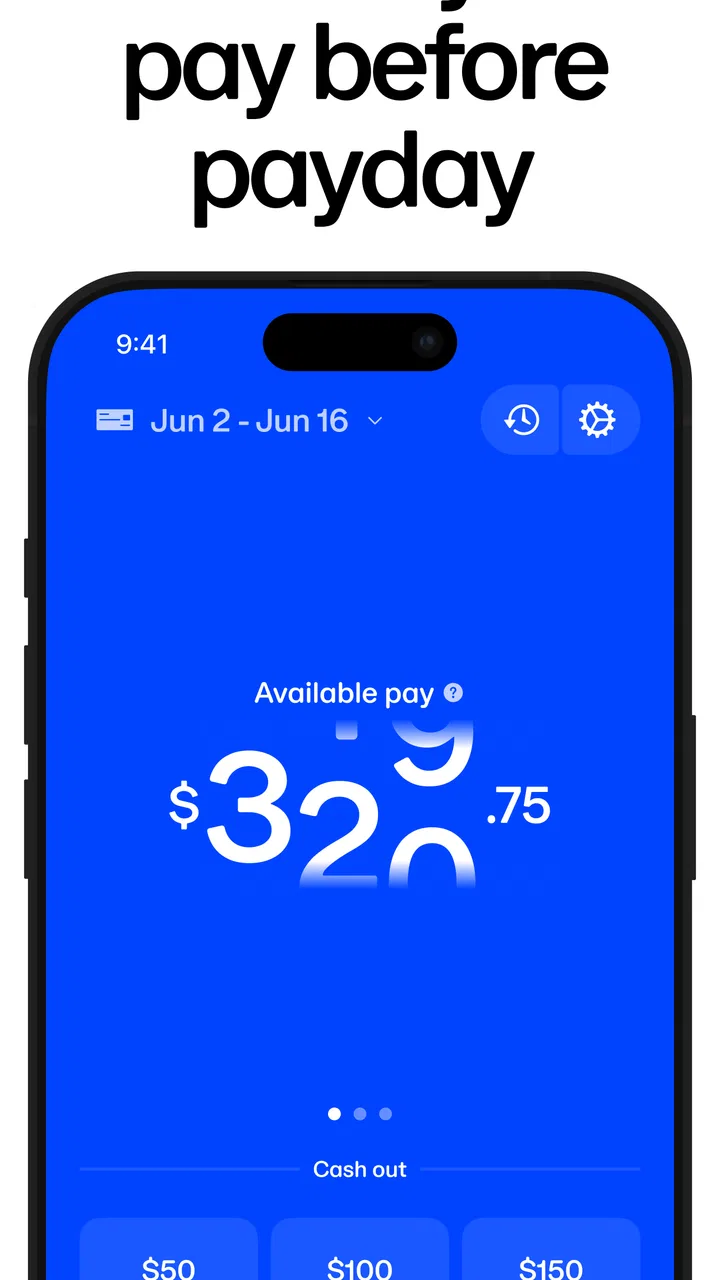
Rain Instant Pay is the kind of business app that makes the most sense when you need a simpler way to access an employer benefit rather than another general finance tool. I approached it as something I might keep on my phone for practical moments: checking whether the service is available through work, opening the app when money feels tight, and trying to understand what action is actually available before making plans around it. The experience is focused, and that focus is both its main appeal and its biggest boundary.
Developed by Rain Technologies Inc, the app is free to download and carries an Everyone age rating. It has been available since February 1, 2020, and the current version is 2.5.0. Its store summary, “Unlock your employer benefits with Rain!”, points to the central idea: this is tied to workplace benefits, so it is not designed to replace a bank, a budgeting suite, or a full payroll portal.
What using Rain Instant Pay feels like in everyday life
My first impression is that Rain Instant Pay is built for a direct question: can I use the benefit connected to my employer right now? That is a much narrower job than tracking spending, comparing loans, or managing several accounts. For someone whose workplace supports the service, the narrow purpose can make the app easier to understand than a crowded financial dashboard.
You May Also Like

 Blood Strike: 2.5 Anniversary
Blood Strike’s Loadouts Turn Every Drop Into a Tactical Gamble
A close look at Blood Strike’s custom loadouts: how fast access to signature weapons reshapes its battle royale rhythm, rewards preparation, and narrows the gap between fights.

 Pandora - Music & Podcasts
Pandora’s Music Is Easy to Start, but Harder to Recover
Pandora’s strength is its low-effort path from a seed to a station. Its weak spot is how much confidence it asks you to place in connection, setup, and quiet recovery.

 8 Ball Pool
 Is Built on Rivalries, Rematches, and Routine
A close look at the rivalries, rematches, shared routines, and unanswered safety questions that turn a quick pool match into a persistent mobile community.

 Samsung Music
’s Quiet Strength Is Playing What You Already Own
Its reach comes less from spectacle than from dependable access to a personal library. That simplicity is both the app’s strongest retention engine and its ceiling.

 AccuWeather: Weather Radar
AccuWeather Review: A Quick, Clear Forecast for Everyday Decisions
For everyday plans, the best forecast is the one you can understand quickly. AccuWeather makes rain timing, radar, and local conditions easy to act on, with a few trade-offs.

 Hill Climb Racing
Why Hill Climb Racing Still Turns Crashes Into One More Run
A tiny car, a bumpy hill and one more upgrade: Hill Climb Racing keeps resurfacing because its simple chaos makes every near-miss feel personal.
More From Our News Desk



A realistic situation would be a midweek bill arriving before payday. Instead of opening a banking app and searching through unrelated tools, I would open Rain to check the benefit and decide whether using it makes sense. That decision still deserves care. Access to money earlier can solve a timing problem, but it can also make the next regular payday feel smaller if I treat early access as extra income rather than an advance on money I have already earned.
This is where I think the app is most useful: as a quick bridge for an occasional cash-flow gap. I would not treat it as a replacement for an emergency fund, a long-term spending plan, or a conversation with an employer about pay arrangements. The app can make access more convenient, but convenience should not hide the underlying effect on the rest of the pay cycle.
The service is also not equally relevant to every worker. The important first step is checking whether the employer benefit is available to you. If your workplace is not connected to Rain’s service, installing the app will not turn it into a general-purpose paycheck tool. That is a crucial distinction from ordinary banking apps, which usually remain useful even when a particular employer is not involved.
Speed expectations: quick access is not the same as instant certainty
The name sets an expectation of speed, but I would separate two ideas: how quickly the app responds on the phone and how quickly a benefit can actually be used. A lightweight, focused screen may feel fast to open and navigate, yet the real outcome can depend on account eligibility, employer connection, identity checks, payroll information, and the delivery method involved. Those are not the same thing as tapping a button and receiving money immediately.
In practical use, I would open the app before an urgent moment rather than waiting until a bill is already overdue. That gives me time to understand the available choices and avoid making a promise based on an assumption. A good habit is to check the app during a calm part of the pay cycle, learn where the relevant balance or access option appears, and confirm the steps before relying on it in an emergency.
The focused design also helps with decision speed. I am not forced to sort through investment charts or card promotions before reaching the employer-related function. That is a real advantage over broad financial apps. On the other hand, a narrow interface may leave less room for the surrounding context I would want when making a complicated money decision. I still need my bank balance, upcoming bills, and pay schedule elsewhere.
The useful speed advantage is reducing the time spent finding the benefit, not guaranteeing a particular transfer outcome. That distinction matters for anyone comparing Rain with a bank transfer or a payroll advance. A bank app may be better when the money is already in my account and I only need to move it. Rain is more relevant when the workplace benefit itself is the starting point.
Heavy-use moments and the cost of depending on one narrow workflow
The app is likely to be tested most when the user is stressed: a rent payment is close, a car repair appears, or a household expense lands between paydays. Those are the moments when I would want the screens to be clear and the next action obvious. I would also avoid repeatedly opening the app simply to refresh my expectations. If the benefit is connected to earned wages, checking it too often does not create more available money.
A more disciplined workflow is to decide the amount before opening the app, then use Rain to verify what is actually available. I would write down the bill, the amount needed, and the date of the next normal paycheck. This small step prevents the app from becoming an impulse tool. It also makes it easier to notice when early access solves a one-time timing problem versus when it is covering a recurring shortfall.
During busy periods, the app’s limited scope can be helpful. I would rather have a direct path to an employer benefit than a financial application that loads a large home screen full of unrelated products. Yet this same simplicity means Rain is not the place where I would investigate why my overall finances feel pressured. For that, a budgeting app, a spreadsheet, or a bank’s transaction history may provide better visibility.
Another trade-off appears when several people in a household use different pay schedules. Rain can address the workplace benefit connected to the individual user, but it does not replace household coordination. I would still compare the timing of other income, automatic payments, and shared expenses before deciding to access money early. The app can support one part of the plan; it cannot be the whole plan.
Reliability: what I would look for before trusting it
For a financial access app, reliability is more than whether the interface opens. I would judge it by whether I can understand my status, whether the information appears consistent with my employment situation, and whether the process gives me enough clarity to act without guessing. Rain’s strong public reception suggests that many users find value in the service: it holds an average rating of 4.8 from around 33 thousand ratings, with roughly 4 thousand written reviews.
Those figures make the app worth investigating, but they do not remove the need for personal testing. Employer-linked services can be sensitive to changes in employment records, payroll timing, or account details. If something looks different from what I expect, I would pause rather than repeatedly submitting requests. A screenshot of the relevant message and a note of the date and time would be useful when seeking help, especially if the issue concerns an urgent payment.
I also think reliability includes recovery after an interrupted session. If my connection drops or I close the app halfway through a process, I would reopen it and check the current status before starting again. Repeating an action without confirming what already happened can create confusion. This is a general financial-app precaution, but it is especially important when the action affects access to earned pay.
Rain’s popularity is another reason I would expect a mature experience rather than an experimental one. More than 500 thousand installs indicate that it has reached a substantial audience. Still, popularity is not a promise that every employer setup or every phone will behave identically. My own employer connection and account details would matter more than the overall install count.
Device constraints and the practical side of keeping it installed
Because Rain Instant Pay is a focused mobile app, I would expect it to be more comfortable on a current phone with a stable connection than on a device that is constantly short of storage or running an old operating system. I would keep the app updated, particularly because the current version is 2.5.0. Updates are most useful when they improve compatibility or correct problems, even though an update alone cannot fix an employer-side issue.
I would also avoid judging the service from a single weak-signal location. If the app is needed in a basement, crowded workplace, or area with unreliable mobile data, the problem may be connectivity rather than the app itself. My practical approach would be to open it once on a dependable connection, review the available information, and avoid beginning an important request while moving between networks.
Resource demands matter differently here than they do in a game or video editor. I would not choose Rain based on graphics, offline entertainment, or intensive processing. Its value comes from access to a specific financial workflow. That means a phone with modest hardware may be perfectly adequate, while a device with excellent hardware still cannot compensate for missing employer eligibility or incomplete account information.
I would be cautious about installing it on a shared phone. Financial access deserves a private device and careful attention to the account used during setup. I would also review the phone’s notification behavior so that sensitive information is not displayed openly on a lock screen. These are not reasons to avoid the app; they are sensible habits for any service connected to employment and money.
How it compares with the usual alternatives
Compared with a normal banking app, Rain starts from a different place. A bank app is best for money already deposited, transfers between accounts, bill payments, and a broad view of transactions. Rain is more specialized around an employer benefit. If I simply need to move existing funds, I would use my bank. If I need to explore access connected to wages through work, Rain is the more relevant tool.
Compared with a payroll portal, Rain may feel more immediate for the specific benefit it supports. A payroll portal usually remains the authoritative place for pay statements, deductions, tax information, and official employment records. I would use payroll when I need to verify the underlying paycheck details, and Rain when I need to interact with the available benefit. Treating one as a substitute for the other could lead to misunderstandings.
Compared with a budgeting app, Rain does almost the opposite job. A budgeting tool helps me decide what I can afford over time; Rain can help with access during the current pay cycle. I would pair them rather than choose one as a replacement for the other. The budget should decide whether early access is wise, while Rain handles the benefit workflow if I am eligible.
Compared with borrowing, the appeal is that the app is connected to an employer benefit rather than being presented as a conventional loan product. Even so, I would still examine the practical consequences before relying on it. The right choice depends on the timing of the need, the effect on the next paycheck, and any terms shown during the process. When the expense can wait, waiting may be healthier than turning every shortfall into an early-access event.
Who should use it, and who should skip it
I would recommend giving Rain a serious look to someone whose employer offers the service and who occasionally needs a clearer way to manage the gap between earned wages and the normal payday. It is particularly suitable for people who want a focused mobile experience instead of a full financial marketplace. The free price also makes trying the app less of a commitment, although the financial decision comes after installation, not before it.
I would be more cautious if someone is already using early access every pay period to cover ordinary living costs. In that situation, the app may be convenient while the underlying problem continues. A conversation with payroll, an adjustment to bill dates, a spending review, or a broader budgeting plan could be more useful. Rain should support a plan, not quietly become the plan.
I would also skip it if I wanted investment management, detailed expense categorization, credit monitoring, or a complete banking replacement. Those expectations do not match its employer-benefit focus. A person who needs a single dashboard for several financial products will probably prefer a broader service, while someone who wants one targeted workplace tool may appreciate Rain’s limited scope.
Small habits that make the experience safer and clearer
My first tip is to verify eligibility before building a financial plan around the app. The employer connection is central, so I would treat the app as a confirmation and access point, not as proof that every worker can use the service. If the workplace relationship changes, I would recheck the information rather than assuming the previous experience still applies.
My second tip is to use the app alongside the normal pay calendar. Before accessing anything, I would compare the amount needed with the next paycheck and list automatic withdrawals that may arrive first. This is a non-obvious but important trade-off: an app can make a short-term solution feel painless while shifting the pressure to a later date.
My third tip is to separate app performance from benefit availability. If the screen loads normally but the amount is different from what I expected, that is not necessarily a technical failure. I would compare the result with my workplace records and payroll information before repeating the process or contacting support.
Finally, I would keep a simple record of each use. The date, amount, and reason are enough. After a few pay cycles, that record can show whether Rain is helping with rare timing problems or becoming a regular dependency. That insight is more valuable than simply knowing that the app is available.
My performance verdict
After looking at Rain Instant Pay as a practical business app rather than a general finance platform, I see a focused tool with a clear audience. Its strongest quality is the direct connection between the mobile experience and an employer benefit. The free download, Everyone rating, current 2.5.0 release, and broad adoption make it approachable for eligible workers who want to investigate the service on their own phone.
Its limitations are just as important. The app cannot replace a bank, payroll system, or budget, and its usefulness depends heavily on the employer relationship behind it. I would not promise myself a particular result simply because the app opens quickly or carries a high average rating. I would test it calmly, read each step, and make decisions using the full pay-cycle picture.
My recommendation is positive but specific: Rain Instant Pay is worth trying when your employer offers the benefit and you need occasional, controlled access to it. It is not the right choice for someone searching for a complete money-management suite or a permanent answer to recurring financial pressure. Used as a focused bridge, it can be convenient; used without a plan, it can make future paydays harder to manage.
That balance is what I would tell a friend. Install it if the workplace connection applies, explore it before an urgent need, and compare every decision with your regular income and bills. With those expectations, Rain can earn a useful place on a phone without pretending to be more than it is.
FAQs for Rain Instant Pay
01What is Rain Instant Pay and how does it work?
Rain Instant Pay is a financial app designed to provide employees with early access to their earned wages. By syncing with your employer's payroll system, it allows you to withdraw a portion of your earned income before the official payday. This helps manage unexpected expenses and improve financial flexibility without the need for payday loans.
02Is Rain Instant Pay safe to use?
Yes, Rain Instant Pay prioritizes user security and privacy. The app employs industry-standard encryption to protect your personal and financial information. Additionally, it only connects with trusted payroll systems, ensuring that your data remains secure. However, it's always wise to review their privacy policy and user agreements before signing up.
03Are there any fees associated with using Rain Instant Pay?
Rain Instant Pay typically charges a small fee for each transaction when you access your earned wages early. The exact fee structure can vary, so it's important to check the app for details specific to your employer's setup. Some employers might cover these fees as an employee benefit, so inquire with your HR department.
04Does using Rain Instant Pay affect my credit score?
No, using Rain Instant Pay does not impact your credit score. The app simply provides access to wages you've already earned, rather than providing a loan or credit. Since it doesn’t involve borrowing money, it doesn’t require a credit check or affect your credit history.
05What devices and operating systems support Rain Instant Pay?
Rain Instant Pay is available for both Android and iOS devices. To ensure optimal performance, it's recommended to have the latest version of your operating system installed. You can download the app from the Google Play Store for Android devices or the Apple App Store for iOS devices, ensuring it fits seamlessly into your mobile lifestyle.
Pros
- Quick access to earned wages.
- Simple and user-friendly interface.
- No fees for standard transfers.
- Supports multiple payment methods.
- Real-time balance updates.
Cons
- Limited to partnered employers.
- No cash withdrawal option.
- Requires internet for access.
- Limited customer support hours.
- May encourage frequent withdrawals.

Rain Instant Pay
Gallery